
An orange-booth rap remake for pets, not a hotel photoshoot
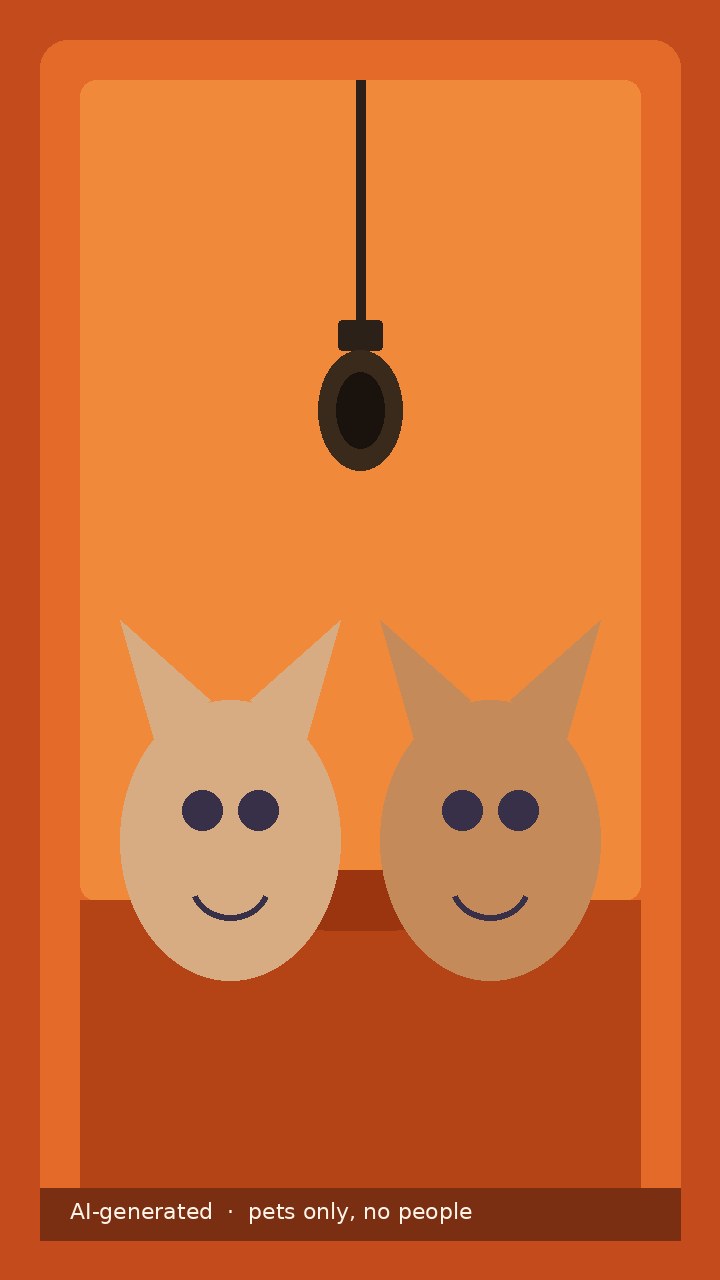
Hotel Lobby Pets AI is a playful pet performance template on PetAIVideo. The look people search for is simple: a generic orange studio booth, warm light, and one hanging microphone. Your cat or dog stands in that booth and does a short rap or mouth-performance routine you can post as a vertical clip. The finished video is about 15 seconds in a 9:16 frame, which fits TikTok and Instagram Reels. This is the Hotel Lobby meme as a pet variant, not a luxury-hotel pet photoshoot and not a video of you. There is no marble lobby, no suite, no bed, and no hotel-brand backdrop. There is also no teal booth and no street scene from other rap memes. The booth should stay clearly orange, with the hanging mic visible in the wide shots. The page only accepts pet photographs. Photos that include a human face or body, especially a child, are rejected. The finished video should contain no people at all—no owner, no audience, no photographer, and no blurred passer-by. We do not offer a switch that puts you in the frame with your pet. If you want a clip of yourself, this is the wrong page. If you want your cat, dog, or another pet to take the mic, you are in the right place. Every result is labeled AI-generated so viewers can tell the scene was imagined from a still photograph rather than recorded in a real studio.
How many photos do I need?
Two pet photos are the default, so two pets—or two clear front photos of the same pet—can share the booth. One pet photo also works. In the two-photo mode, upload a clear front view for the left place and another for the right place. You can feature two different animals, such as a cat and a dog, or two cats that you want to keep visually distinct. You can also upload two sharp photos of the same pet if you want one animal to appear in both camera setups. Say this clearly when you choose the two-photo option: the uploader should show two slots, and each slot needs its own file. If a second photo is missing, add it or switch to the one-photo mode instead of sending a blank slot. In the one-photo mode, that single pet performs solo at the hanging mic. The video still includes an orange-booth wide shot, a close-up performance, another close-up of the same pet, and a medium-shot ending. You do not write a free prompt. Choose one or two photos, confirm the consent box, and review the still. Use a well-lit front or three-quarter view with the eyes, ears, and coat markings visible. A sharp half-body or full-body frame is more useful than a tiny face in the corner of a room. Soft daylight and a simple background help. Avoid heavy filters, motion blur, costumes that hide the face, and crops that cut off both ears. Do not include the owner, a hand, a child, or anyone else in the background. A group photo, a drawing, a toy, or a watermarked screenshot is not a suitable source. Upload a JPG, PNG, or WebP file up to 20 MB for each photo. You must be at least eighteen and have the right to use every picture you upload.
What happens in the video
The clip is designed as a short performance, not a travel film. In the first three seconds, a wide shot shows the orange booth and the hanging mic, with your pet or pets standing in the light and nobody else in the room. From about three to seven seconds, the first pet comes forward for a close-up and performs at the mic with a clear mouth and head rhythm. If a second pet is in the scene, that animal can stay softly out of focus behind the first. From about seven to eleven seconds, the camera cuts to the second pet, or to a second close-up of the same solo pet, and the performance continues at the mic. The last four seconds return to a medium shot of the pets together, or the solo pet, with the hanging mic still in frame, and then the picture fades out. The total length target is about 15 seconds. One-photo jobs keep the same booth, length, and ending; they simply give the single pet the whole routine. The download is silent by default. Official Hotel Lobby audio is not included, and the file does not try to imitate a singer or clone a voice. When you post, add the trending sound in TikTok or Reels from a track that is available for your account. Keep the AI-generated label so viewers understand they are watching an imagined remake.
Photo tips and a pets-only rule
Pets only — no people, no children. That rule is visible on the page because it is the difference between a usable upload and a rejected one. A photograph that includes a human face or body will be turned away, even if the person is in the background or only a hand is showing. Photos with children are always rejected. Do not try to include the owner beside the pet, and do not ask for a version where a child raps with a cat. This template will not create that scene. Choose an ordinary happy photo of a living pet. Pictures that show injury, medical treatment, or a deceased animal are not accepted. If an upload is rejected, use the explanation to pick another picture before you try again. Two-photo jobs should keep each animal's coat and face distinct. If you upload a tabby and a white dog, the result should not mix those markings into one blended creature. If both photos are the same pet, the two setups should still look like that one animal. Review the free preview carefully for identity, booth color, and the hanging mic before you spend credits.
Free preview, credits, and a second attempt
Sign in with Google for 1 free preview. The preview is a watermarked still of the opening orange-booth frame, not a free finished video. Use it to check that your pet is recognizable, that the booth is orange rather than teal or a hotel room, that the hanging mic is present, and that no person has appeared in the picture. If the still does not look right, stop and try a clearer photograph instead of paying for a weak match. Artificial intelligence can misread hidden features, so the clip is always an imagined scene rather than a recovered memory. The full silent video costs 15 credits. The $9.90 Single pack includes 15 credits and unlocks this template. Larger one-time packs are listed on the pricing page. Credits work across live templates and never expire. Technical failures and rejected uploads do not charge credits. If the finished video does not look like your pet, one free re-make is available within 24 hours. When the file is ready, download the silent MP4 and, where available, a cover image. Add the sound later when you post.
An independent fan remake, with clear limits
Hotel Lobby Pets AI is an independent fan remake. It is not affiliated with COLORS, Quavo, Takeoff, Migos, or official audio rights holders, and it is not an official artist tool. We do not supply original commercial recordings, and we do not promise that your result will match any particular influencer or viral pet video. Do not upload a screenshot taken from someone else's account if you do not have the right to use that picture. The pets stay pets. The model should not turn your cat or dog into a recognizable celebrity human face, and it should not use cartoon chipmunk mascots or other branded characters. Real hotel brand names are not used here, and the setting is not a luxury suite. Support is only available at support@petaivideo.com. Uploaded photos follow the same retention rules as the rest of the site and are removed with the job on the published schedule. If you want a different kind of pet performance, try related templates such as Make My Cat Dance or I Wanna Love You Cat. Those pages are also pet entertainment, not memorial tributes. This page is meant as an evergreen pet template, not a claim that the adult Hotel Lobby trend is at a new peak. The booth, the mic, and a short silent remake are the whole product.